How to Use Company Team Photos for Websites, Recruitment and Employer Branding
Company photography is more than one large group photograph. List where the images will appear—Team or About pages, recruitment, company profiles, proposals, LinkedIn or speaker material—then match each placement with staff headshots, leadership portraits, a formal group photograph or natural workplace imagery.

HR, Marketing and leadership often need different things from the same photography project. HR updates team and recruitment material; Marketing needs coherent crops and brand direction; leaders need representative portraits for company, proposal and speaker profiles.
One project does not need to include every image type, but the priorities should be known before the day rather than reducing the whole brief to “one company photo”.
Six common uses for company photography
Team or About page
Use staff headshots to introduce people and roles, with a group photograph for the wider team.
Review the website ratios first.Recruitment and Careers
Team, workplace and natural interaction can help candidates understand the real working context.
Keep images relevant to real roles.Company profile
Plan leadership, core-team and company photographs around the document length and formality.
Define the main reader.Proposal or pitch
Use the relevant leadership or project-team portrait to show who is responsible for the work.
Avoid relying on an old casual photo.LinkedIn and external profiles
Company, speaker, media and partner material may need individual portraits and wide-layout space.
Confirm the placement crop.Internal and annual material
Department, leadership and workplace imagery can be prepared for confirmed reporting or update needs.
Do not assume a fixed delivery scope.
Turn each placement into a shot list
| Placement | Priority images | Composition note | Internal owner |
|---|---|---|---|
| Team or About | Staff headshots + group | Consistent ratio, background and identification | HR + website owner |
| Recruitment or Careers | Team + workplace | Allow for banner and mobile crops | HR + Marketing |
| Company profile or proposal | Leadership + project team | Match formality and page space | Marketing + leadership |
| Speaker or media | Headshot + half body | Confirm organiser requirements | Subject + communications |
Four image types solve different problems
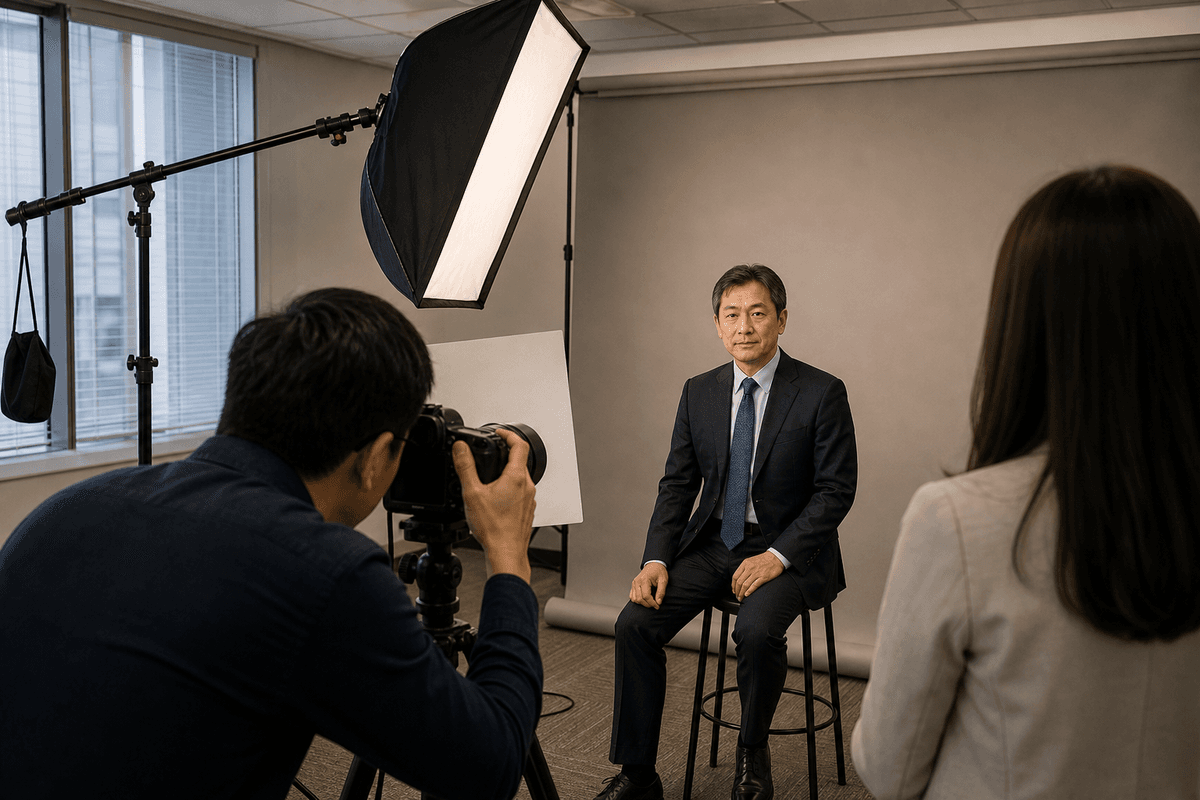
Introduce people and roles individually for Team pages, directories and professional profiles.
Support company profiles, proposals, speaker and media material at a formality suited to the role.
Present the company, department or selected team clearly, with attention to headcount, arrangement and visible faces.
Add real workplace context and interaction for recruitment and brand content.
Four details shape a group-photo arrangement
- Total headcount and groups: whether the company, departments and project teams need separate frames;
- roles: whether leadership, representatives or guests have placement requirements;
- available venue: width, depth, stairs or seating for visual levels; and
- final placement: website banners, vertical documents and standard group photographs need different space.
Arrangement is not simply tallest to shortest. Visual levels, roles, clothing colours, venue and clear faces all need to work together.
Add a consent check before publication
Before the images go live, confirm the company's photo-use and privacy arrangements. The Hong Kong Privacy Commissioner's published guidance notes that consent should be obtained before publishing a photograph together with information that can identify an employee.
This is a general preparation reminder, not legal advice. Each company should review its own privacy policy, employment arrangements and intended use.
Company-image use checklist
- Highest-priority placement: _____
- Team / About page: needed / not needed / to confirm
- Recruitment / Careers: needed / not needed / to confirm
- Company profile / proposal: needed / not needed / to confirm
- LinkedIn / speaker / media: needed / not needed / to confirm
- Provisional staff-headshot count: _____
- Provisional leadership count: _____
- Formal / natural team groups: _____
- Company district and possible venue: _____
- Crop, file, retouching and usage needs: _____
- Internal consent / approval owner: _____
Frequently asked questions
If we only need one formal group photograph, must we plan other images?
A formal group photograph can be arranged on its own. If the images will also support the website, recruitment or company profile, check whether department, leadership or natural team photographs are also needed.
Should a Team or About page use staff headshots or a group photograph?
They serve different purposes. Staff headshots introduce people and roles individually, while a group photograph shows the wider team and relationships. A page can use both when the layout calls for it.
What company photographs work on a recruitment page?
Depending on the actual content, consider team photographs, workplace context and natural interaction. The images should relate to the real roles and environment rather than forcing every message into one frame.
How is a large group arranged?
Share the total headcount, departments or groups, leadership arrangement and available space. Composition can then be discussed around visual levels, height, roles and on-site conditions.
Do we need consent before publishing employee photographs?
Hong Kong's Privacy Commissioner notes that consent should be obtained before publishing a photograph with information that can identify an employee. Companies should review their own privacy policy and intended use; this article is not legal advice.
When are file formats and usage scope confirmed?
During the quotation and scope review, list the website, recruitment, company-profile and other intended uses, together with crop, file, retouching and delivery requirements.
Ready to plan your staff and team photos?
Share your approximate headcount, photo types, district and proposed date. We will use these details to confirm the project scope and quotation.
You May Also Like

Before a Corporate Headshot Day: 7 Checks for HR and Admin
A practical HR and admin checklist covering intended use, headcount, venue, clothing, shooting order, retouching and delivery before a corporate staff-photo project.

LinkedIn Photo vs CV Photo: Can You Use the Same Headshot?
Updating LinkedIn, preparing a CV or refreshing a company bio? Start with your profession, audience and intended impression, then see whether one portrait is enough.

What to Wear for a Professional Headshot in Hong Kong
Choose professional-headshot clothing, colours, patterns, glasses and grooming from the intended use, role, background and level of formality.