Five Things Schools Should Confirm Before Class Photo Day
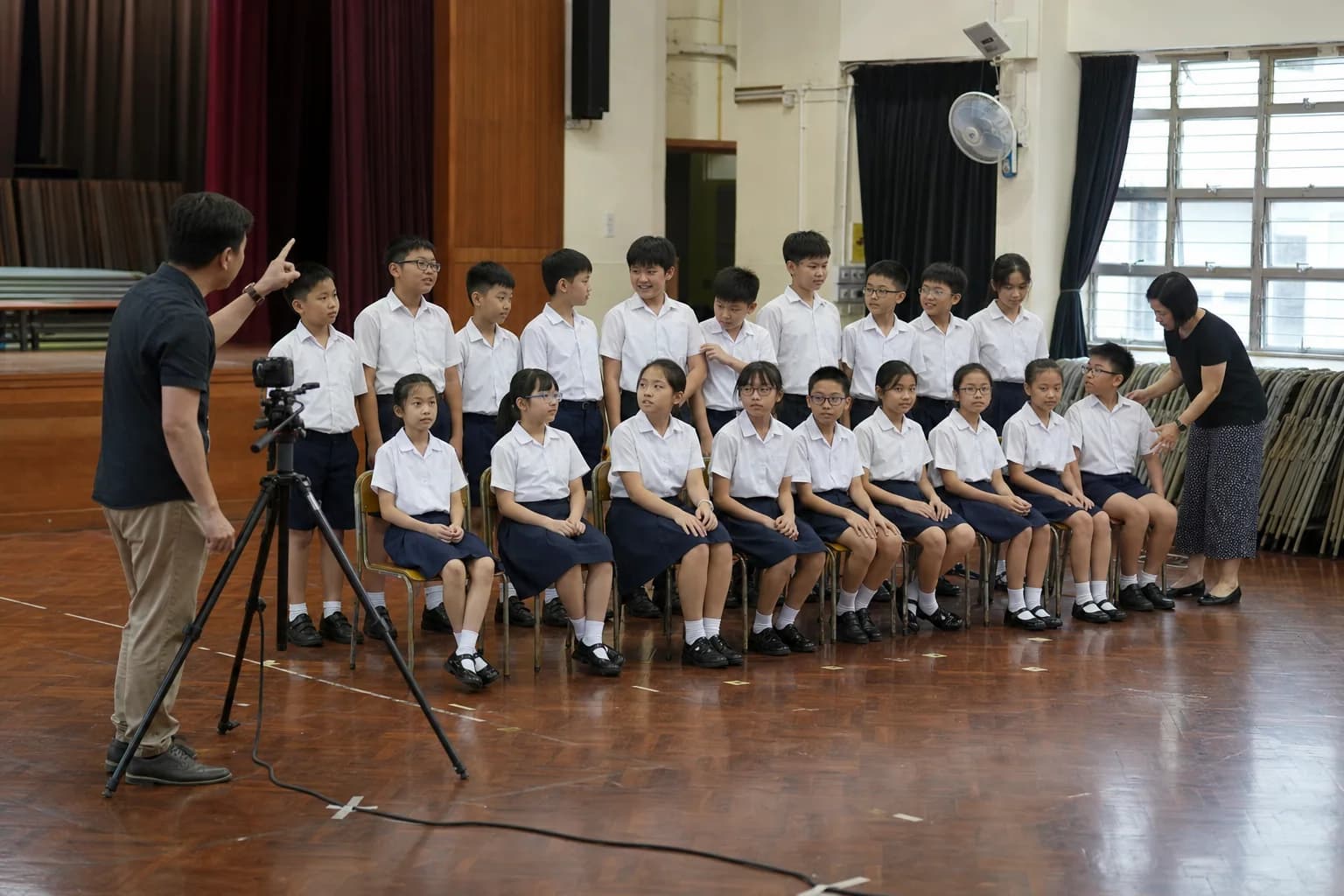
The most common source of confusion is not whether students know where to stand. It is that a year head, class teacher and administrator may each be working with a different understanding of the same “class photo” project.
Preparation does not need to become an operations manual. A shared definition of the photo groups, roster and delivery format gives everyone a practical handover note to work from.
1. Separate class photos from whole-grade photos
A class photo treats each class as a separate group. A whole-grade photo covers an entire year group or another larger group specified by the school. The practical difference is not only composition; the school is checking a different set of groups.
List each photo group separately instead of providing only one total headcount. Record the year level, number of classes and which items are class photos or whole-grade photos. This makes missing or duplicated groups easier to spot.
2. Use one roster logic from photo day to delivery
A student roster is more than an attendance list. Fields such as class, student name and student number also determine how finished photographs can be checked and organised. If the school already uses a particular format, raise it during planning.
THIS FILM can organise photographs by class, student name, student number or another school-requested format. Nominate one working roster and label updates clearly so that on-site checking and final organisation do not rely on different versions.
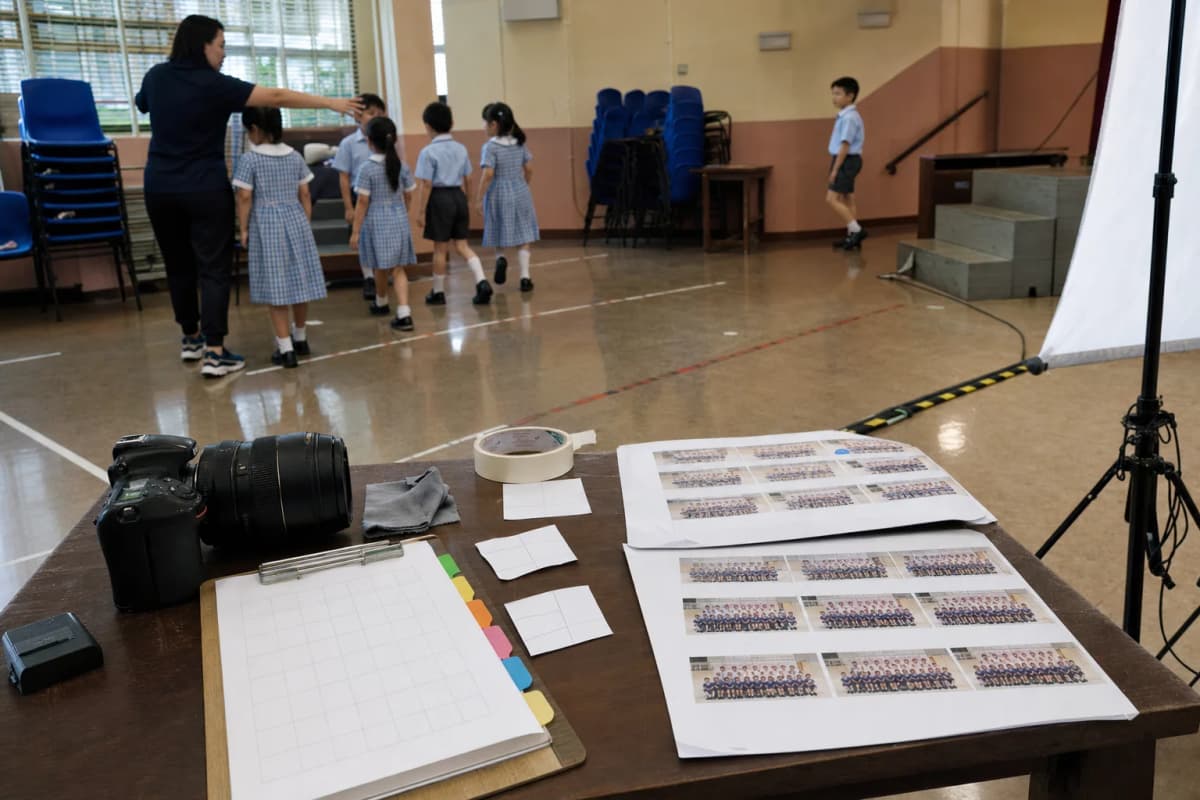
A consistent roster structure allows on-site checks and final photo organisation to follow the same logic.
3. Check how students will move through the space
When considering a venue, look beyond whether it is simply “large enough”:
- Group capacity: can the intended class or year group gather in the same area?
- Background and sightline: is the camera position clear, with a suitable background?
- Entry and exit: will one group leaving interrupt the next group arriving?
A short description of available spaces and known constraints is sufficient for an initial discussion.
4. Confirm a direction that school staff can assess
“Natural” is too vague on its own. The school can first agree on who belongs in the group, the overall framing and arrangement, and whether the intended expression feels natural, alert or more formal.
THIS FILM confirms a sample direction with the school before the main run and uses child-photography experience to help students relax. One nominated school contact should confirm the direction so that students do not receive conflicting instructions.
5. Decide delivery needs and note exceptions
Both digital files and printed photographs are available, and finished work is delivered to the school. State whether the school needs one or both formats and how items should be organised.
An absent student can be arranged for a retake, with the exact arrangement coordinated when the plan is confirmed. The key decision for the school is to identify the exception, not to publish every operational detail in advance.
Final checklist for teachers and administrators
| Decision | What to prepare | Why it matters |
|---|---|---|
| Photo groups | List class and whole-grade photos separately | Reduces missing or duplicated groups |
| Working roster | Class, name, student number or school format | Connects on-site checks with delivery organisation |
| Venue | Capacity, sightline and student movement | Surfaces practical constraints early |
| School approver | One contact who can confirm the sample direction | Avoids conflicting decisions on site |
| Delivery and absences | Digital/print needs, filing format and absent students | Helps the project close clearly after photo day |
Frequently asked questions
Can we provide one total number for class and whole-grade photos?
It is better to list them separately. Class photos are checked by class, while whole-grade photos are checked by year group or the school’s chosen group definition.
Can planning begin before the roster is final?
Yes. Use the latest working version and label any information that is still to be confirmed. Mark later revisions clearly.
Must the school choose either digital files or prints?
No. Both digital files and printed photographs are available. The school can state what it needs for the project.
Planning school photography?
Tell us which school photo types you are considering. A short message is enough to begin the discussion.
Enquire on WhatsAppYou May Also Like
What Should a School Confirm Before Student ID Photo Day?
A practical checklist for school use, photo specifications, student rosters, sample approval and exceptions before on-site student ID photography.
How Teachers Can Help Students Look Natural in School Photos
A nervous student is not necessarily uncooperative. Use a simple preview, clear teacher–photographer roles and a shared sample direction.
What Schools Should Review Before Approving a Photography Sample Direction
A useful sample review confirms the photo group, framing, arrangement and student presentation—then returns one consolidated school response.